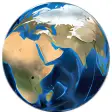
The entire world is within your reach
NASA released World Wind six months before Google Earth, yet it failed to make as much of an impact. However, anything coming out of the prestigious American aeronautics administration is definitely worth a closer look. So what sets World Wind apart from Google Earth?
World Wind's real selling point is the quality of its satellite imagery. World Wind reveals Earth in many different perspectives thanks to the large variety of maps. Blue Marble exposes Earth in its true colors, Landsat 7 gives you high resolution imagery, and MODIS can display time relevant data such as earthquakes, fires or floods. Browse over mountains and observe the snowy peaks, the clouds, and the different colors of the rock, with incredible precision. Be aware though that the lower you go, the more detail will appear, and World Wind will take more time to process the image.
A digital globe wouldn't be complete without its own search option. Find a destination by typing its name in the search tool located on the top bar. Landmarks are particularly well catalogued. If you select the landmark finder tool from the top section, World Wind will exhibit small tags for all locations it considers of significance. Click on the tag and you will be directed to the Wikipedia page for that particular landmark, where you'll be able to read all about it. It is important to point out however that the search function in World Wind is not as good at finding cities as it is with landmarks.
Another of World Wind's assets is its usability. Zoom in over the map using the rollover button of your mouse and skim to parts of the screen with your mouse. The more you focus down on a place the more names of cities and significant locations pop up. These can clog up your screen however, so you'd be wise to configure World Wind to only show the information you need, like country borders and urban areas.
To set itself apart from Google Earth, World Wind provides two original tools. Capitalizing on its lunar explorations, the aeronautics administration lets you view the Moon in extremely high definition. Focus in on its craters, deserts and plains and search for Apollo 11's landing site. Additionally, World Wind recreates the infamous Oregon trail mapped out by American adventurers Lewis and Clark at the beginning of the 19th century, stretching out from Independece, Missouri to the Pacific state of Oregon. World Wind points to significant landmarks which should be of interest to students or history amateurs.
World Wind is as good a digital imagery program as Google Earth. While the image resolution process can be sluggish, World Wind manages to set itself apart thanks to its landmark finder and fun tools like the Moon visualizer and the Lewis & Clark trail.
Many new changes including:Zoomit layers are not being stored in cache\earth\imagesChange splash screen version text from "1.3.4" to "1.3.5"WebDownload.cs is Breakingly Different
Changes
Many new changes including:Zoomit layers are not being stored in cache\earth\imagesChange splash screen version text from "1.3.4" to "1.3.5"WebDownload.cs is Breakingly Different















.png)













User reviews about NASA World Wind
by OPUTA OGWEZI
great..... can improve on details.... or some kind of call out details icon to help zooming effect..... also event that happen in a particular area,like construction development, fights, destruction either man-made or natrue etc More
by Lorraine Portch
Too bloody difficult to get it running. There should be a simple installation